

I have both my Nikon Z6ii and Nikon ZF cameras set up very similarly, but this article is concentrating on the Nikon ZF because it allows you to do a few things that are either not available, or can’t be done on single button presses on the Nikon Z6ii
Focusing
The most important part of being accurate and consistent of course is getting the focusing and exposure system set up so that the camera just works in almost any situation you can throw at it.
My camera is always set up AF-C, and I am very much a half-press to focus, full press to take the photograph photographer. In all the years I’ve been using this method (half press/press) I have never missed a moment and with the ZF, the autofocus is so good, I have never worried about missing a shot. If I ever think I will need lock focus (such as focus and recompose), I have a button set up that achieves this.
Focus area is set to full area with eye detect active. I generally leave it on auto, although if you are at an event that is only humans, or only animals/birds, then it does no harm to change to the specific eye-detect as it can be slightly faster.
Generally (but not exclusively), I will using aperture priority with either a fixed ISO, or an auto-ISO where the maximum ISO setting will reach ISO128,000 and my lowest shutter speed will be 1/250.
Button set-up
F1 button – This button is set to single point tracking. As mentioned, if I need to focus and recompose (or if my autofocus needs to be somewhere else, such as on an object, not a persons eyes) I can simply hold this button while focusing.
AE/AF lock (General) – General use I set the AEL/AFL lock button to DX crop mode. This I find handy for just getting that extra bit of reach when using a prime lens. Yes, it does give me around 10-12mp images instead of the usual 24mp but honestly, in everyday use for looking at images on digital screens and printing moderately large images, it is more than adequate.
AE/AF lock (Manual flash) – When I know I’m going to be using a manual flash in dark environments such as evening events etc, I set the AEL/AFL lock button to Starlight View mode, meaning I can see my screen when using any camera settings that might not otherwise give me an image I can see.
Record Button – This button is set to colour profile select. I find this quick and ready to change jpeg colour profiles on the fly without going into the “I” menu.
Plus Button – Although I don’t change its use, it must be noted how useful it is having this setting to zoom in and view your subject, ensuring you have hit your focus.
Other settings
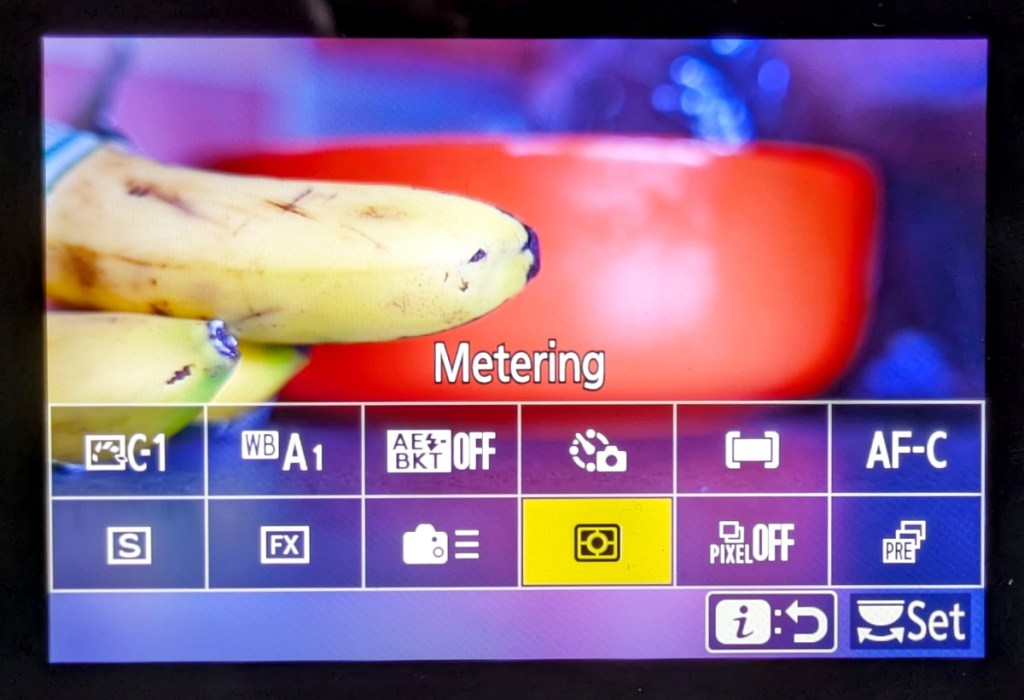
It is important to set up your “I” menu with items you are going to use all the time, and remove dead weight that you will never use. It is highly customisable and just makes things so easy to find.
Conclusion
All the settings mentioned here are for me and my photography. They are tried and tested on all my Nikon cameras and are very similar to how I set up my Fuji and Olympus cameras (where options allowed).
They should work for everyday photography, including photographing events, weddings, families, portraits, wildlife and more. If for any reason you need to swap out a setting for one you use now often (as I do with the AEL/AFL lock buttons), just do it, it makes things so much easier.
 One Camera One Lens Photography
nice concise article with good practical advice! Thank you for sharing it. It’s interesting that unlike so many photo pundits, you don’t preach back button focus. What if anything do you put in the My Menu feature?
LikeLiked by 1 person
Thank you Scott. Autofocus is so good these days, you really don’t need back button focus. If you are really in a situation where you might want to lock focus and you fear the AF will let you down, you can always just hit the AEL/AFL button (quick and easy to set up). I’ve honestly not needed to do this, unless I am using a 10 stop filter and need to lock focus.
My “Main Menu” I have quick options for formatting the SD cards, but not much else from the top of my head.
Again, thank you Scott, much appreciated.
LikeLike