
There is a new tool in town, and it can transform your editing, no matter what editing software you use. Even if you are using the most basic of editing packages, this new tool will allow you to do amazing things with your images, making editing a breeze!
The tool in question is the brand new Google AI Studio, Gemini 2.0. It really is an amazing program, but before I get into how you use it (the images will be self-explanatory anyway), here are some examples for you to see its power.
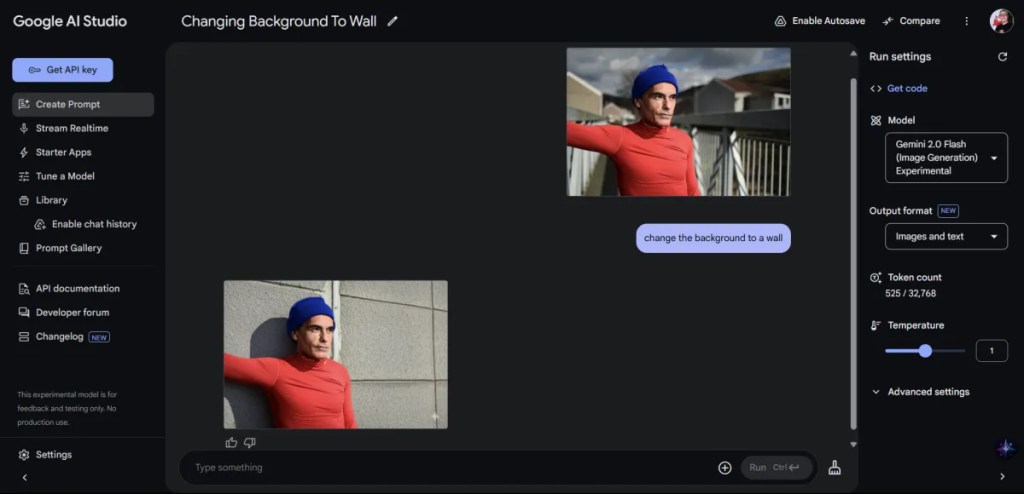
- If you need a different backdrop, it is quick and easy… Maybe you want to change that bridge into a wall, or maybe your plain backdrop into something more festive. This capability is highly sought after by many photographers, and in Gemini it works extremely well!!! For many I can see this as the most used use for the application.

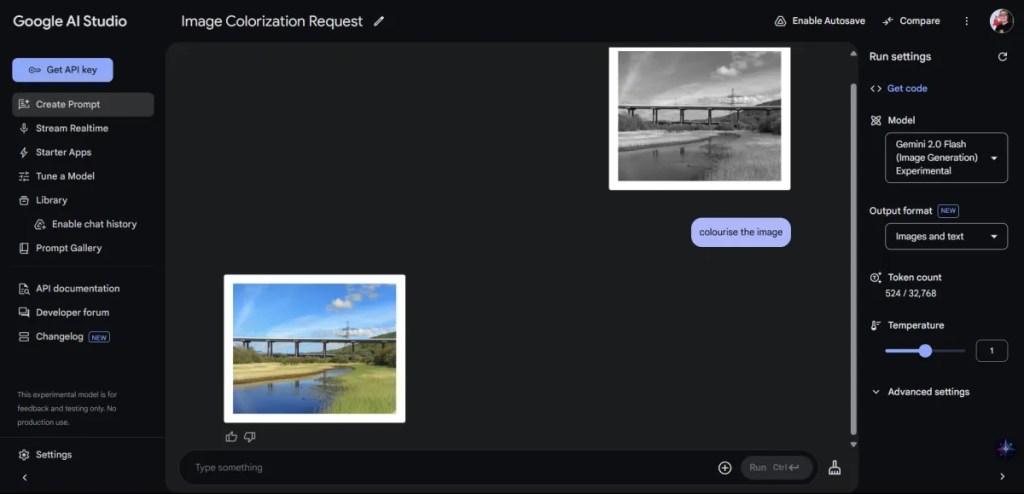
- Maybe you have black and white images… that need a bit of colour, then it is really this simple. Again, another really useful feature, that some companies charge a fortune for you to use. In tests with Gemini, this feature has been excellent!
- Or how about generative expand on an image that you took… an image was a bit too narrow with not enough backdrop? It is this simple. This is another feature that some expensive or subscription editing programs have that is now accessible to everyone.

- Maybe you want to colour-grade an image? Then again, this is very simple, let us try some Kodachrome. This feature works really well, and once you find a description to the look you want, you can have a consistent look throughout your images.

- How about removing people from an image?… We have all taken images where there are a lot of people around, it is this simple to remove them. Once again, this is a feature that Adobe Photoshop has, and I do not think anything else has. I have tried this on many images, and it works amazingly!

- And sometimes, you might want to change the sky (or weather, or whatever!). This is not something I actually do, but I know others do use features like this very often.

There are literally endless possibilities to Gemini AI, and this article is just scratching the surface. What was once a paid luxury for Adobe Photoshop users, is now free for all to use as they want. Of course, you are not just limited to editing photographs, you can create images from descriptions and so much more.
The software can be accessed by going to https://aistudio.google.com/prompts/new_chat in your browser. Once you are in there you can simply type in the box (it says “Type something” in it), or click on the little plus sign to the right of it and choose to upload your image for manipulation. Google assures us that images are not stored or collected for data. Of course, it is up to you if you trust this, but I am sure that for most of us, our images are not important enough to worry about what they see or do not see.
You MUST have the Model set to “Gemini 2.0 Flash (Image Generation) Experimental” in order for this to work, so just check the above screen-shots for how your screen should look. You can use it unlimited at the moment, so make the most of it as this may change in the future.
This is mind blowing, and honestly, the need for subscription to certain services may be a thing of the past for many users once they get to grip with the power of this tool!
I would love to hear your feedback on this!
 One Camera One Lens Photography
Not a fan of subscription services and no doubt this will find some popularity. Not for me though. There are good use cases for AI, but this doesn’t gel with me. I’m sure that any use of it will sign the user up to data scraping and AI image training.
LikeLiked by 1 person
I myself, never use AI, and have only been trying it for those looking to leave Adobe etc. It’s very interesting, but certainly not for everyone. Thank you very much for your feedback. It’s much appreciated.
LikeLiked by 1 person
Hey Mark, I know it, but I’m not really a fan myself. I mainly use AI for translations, and occasionally, I let ChatGPT generate a background for an article on my website. But for photography itself—not really. The problem is, where do you draw the line in the end?
That said, I am a big fan of ChatGPT for everything else—need a quick recipe, advice for a trip, etc.—it’s great for that. But, as you said yourself, everyone is different, and maybe some people find it useful.
By the way, very well written, Mark!
LikeLiked by 1 person
I’m pretty much the same, in fact, that’s why I use Darktable because it’s AI free! I know that there are a lot of people who use similar features in Photoshop, so it’s nice that they are available outside of it.
The ability to colour black and white images for me is the most useful feature… Oh, and getting the odd background as you said.
I wonder how easy it would be to integrate this technology into Darktable/RawTherapee etc?
This could be a topic for another day!
LikeLiked by 1 person