
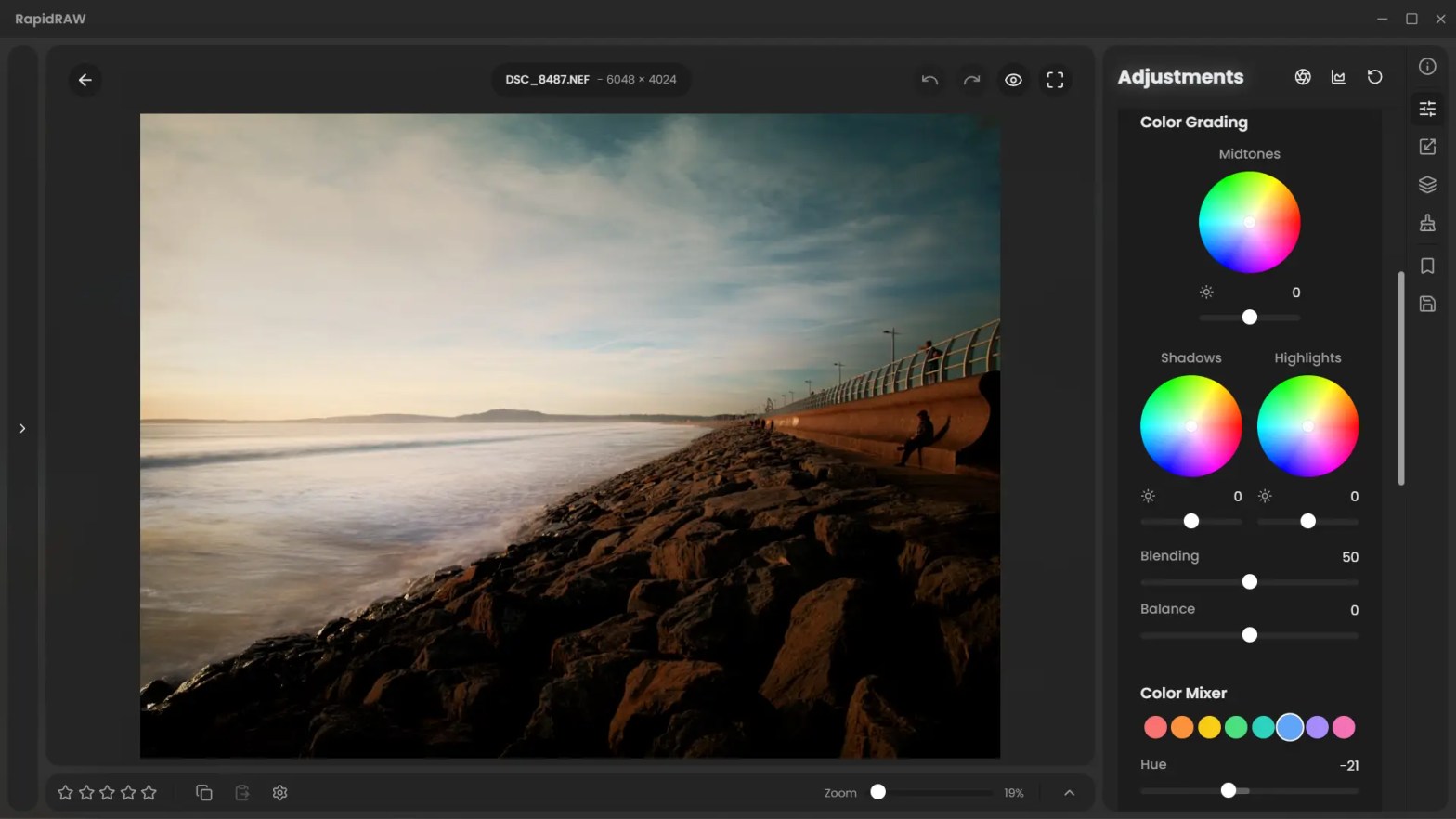
RapidRaw 1.5.2 represents a major milestone for this lightweight, open-source RAW editor available for Windows, Mac and Linux users. Developed by Swiss developer Timon Käch (CyberTimon), it has quickly evolved from a proof-of-concept into a high-performance alternative for photographers who find mainstream tools like Adobe Lightroom too bloated or expensive. At just under 30MB, RapidRaw 1.5.2 punches significantly above its weight class by leveraging GPU acceleration and modern AI models.
I’ve been following and testing Rapidraw since it’s initial release, and reviewed it in its early stages. Back then I had hopes, but I didn’t realise just how far the software would come along in such a relatively short time. It has been of interested to me, as it’s not as cumbersome and focused on photography nerds as much as say Darktable or RawThearapee (I’ve introduced these two packages to many people when holding workshops, and their focus quickly turns into dismay when doing even the simplest things takes a lot of effort!) and paid software (which is much easier than Darktable etc, but more and more means you have to pay yearly for little benefits).
“Core Capabilities and Updates“
The 1.5.2 update focuses on bringing professional-grade analytics and smarter AI tools to the table (although I am not reviewing the AI tools that need ComfyUI, as I have endlessly tried and failed to install the ComfyUI components needed. The software works great without them and I have not missed having them.). It integrates the nind-denoise algorithm, which is remarkably effective at removing high-ISO noise while preserving fine texture—a task where many open-source editors typically struggle. Additionally, the software now utilizes SAM-2 (Segment Anything Model 2) for subject masking, allowing you to isolate a subject with a single click rather than manually drawing bounding boxes.
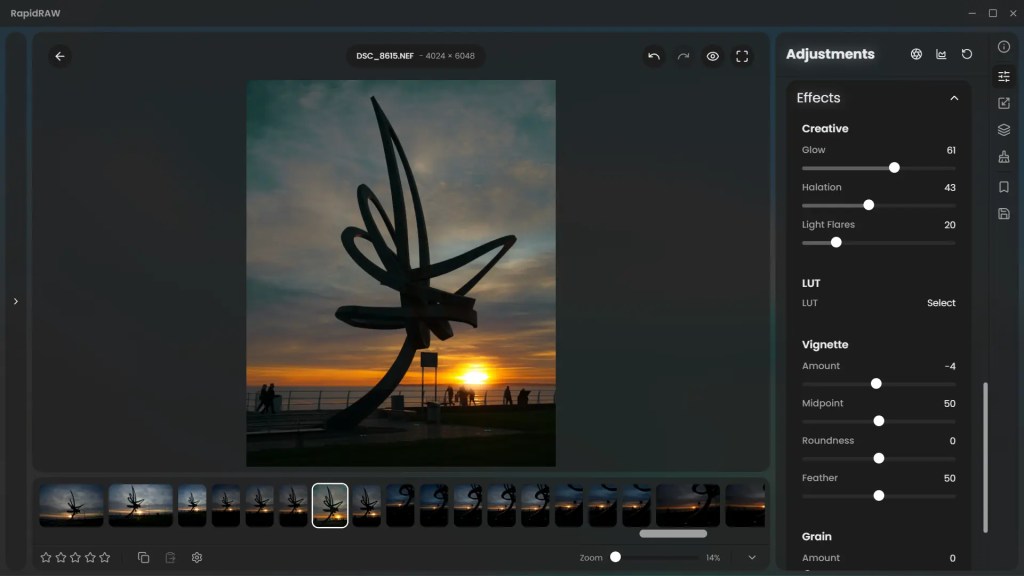
For technical precision, a new switchable panel adds Luma Waveforms and Scopes, enabling a colour-grading experience that mimics professional video editing workflows. Performance has also seen a massive boost through ROI (Region of Interest) Rendering, which only processes the pixels visible in your current viewport. This makes adjustments feel instantaneous even on older hardware. To round out the update, expanded export support now includes JPEG XL, WebP, and CUBE LUTs, the latter of which allows you to export your colour grades for use in external video editors and photo editing software that supports the CUBE format.
“Performance Comparison“
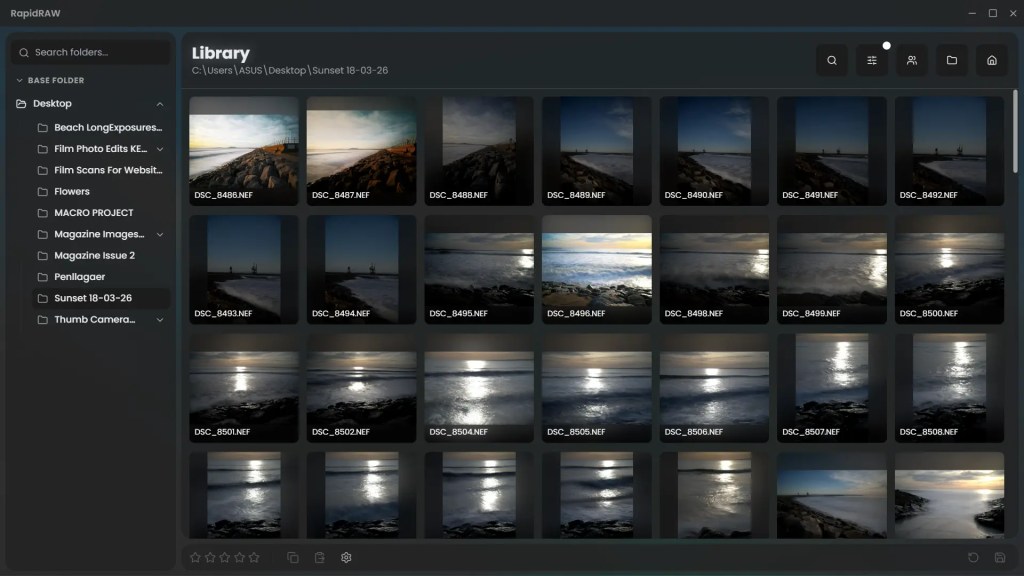
The software excels in speed and interface design, feeling modern and responsive thanks to its Rust and Tauri-based architecture, and I have really noticed the speed increases with each release. Sliders respond in real-time with zero lag, and the non-destructive editing system keeps your original RAW files safe by storing adjustments in tiny sidecar files. However, it still lacks a traditional “grid view” or global library management system, relying instead on a folder-based navigation structure, which I actually prefer for day to day editing. While the AI tools are impressive, some specialized features like HDR merging or deep tethering support are still missing compared to established industry giants.
“My Conclusion“
RapidRaw 1.5.2 is an ideal choice for hobbyists or professionals who value a lean, fast workflow for global adjustments and masking. While it may not yet replace the complex database management or advanced content-aware tools found in Lightroom, it is arguably the most promising open-source alternative to emerge in recent years. It proves that a professional editing suite doesn’t need a multi-gigabyte footprint to deliver high-quality results.
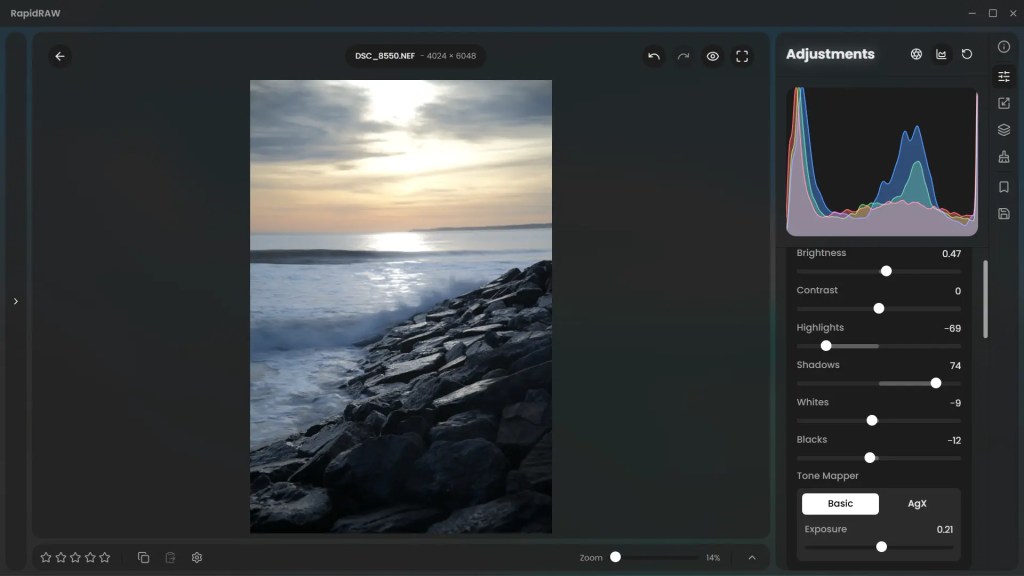
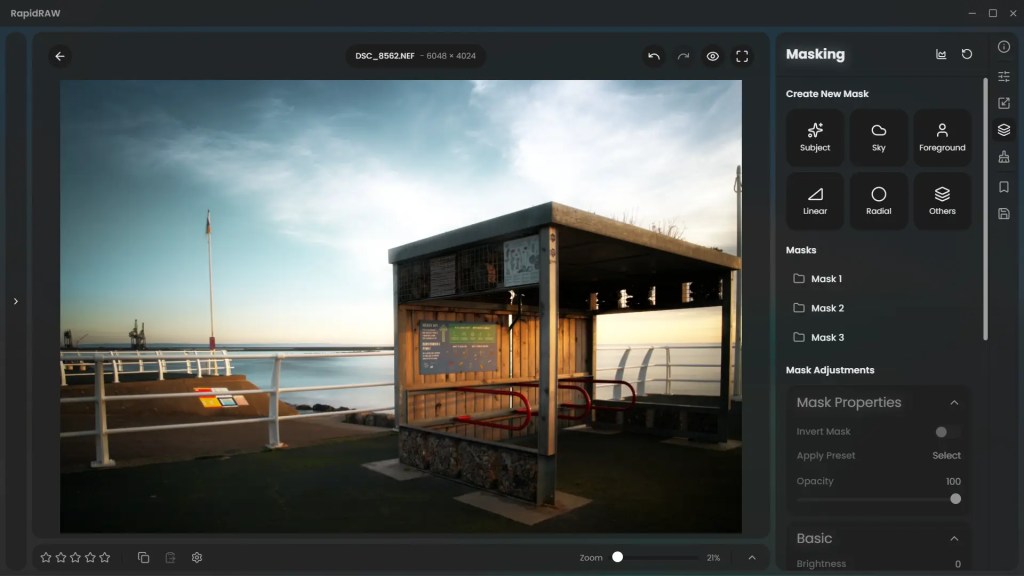
Of note, RapidRaw has a few tools that work so well, and you do not see in other software. The “Glow” slider is super impressive, targeting highlighted areas more than shadows, to give image a natural look, while it is fantastic to see “Halation” getting its own slider, mimicking film halation, and mimicking it well!
You can find all the latest articles and blogs on my homepage here.
My main photography social media page is my Facebook One Camera One Lens Photography page.
Nikon Recipes for the Z system can be found here.
You can find a complete list of my gear here.
 One Camera One Lens Photography