Yesterdays article got me some amazing feedback, some of which was asking me why I did not think that Darktables AI masking was not in the same league as other software. Today we will look at the AI masking in Darktable, as well as its masking in general.
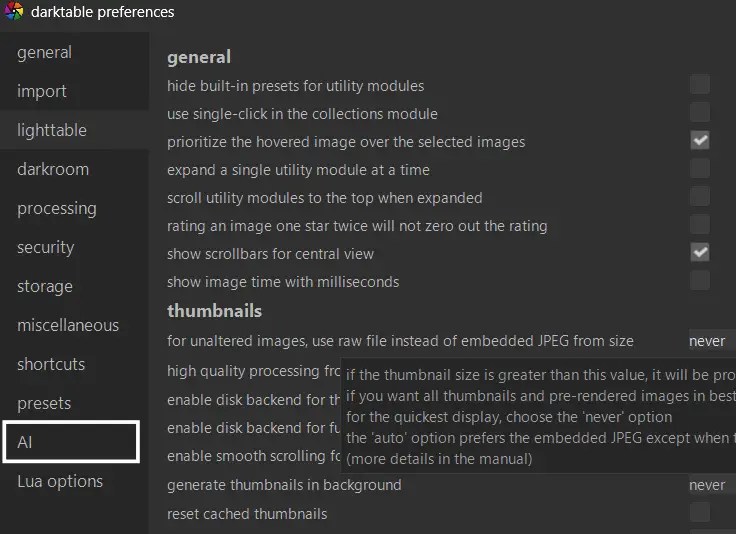
Firstly, before we begin, you will need to activate the AI masking in Darktable. It is not on by default, so you will need to go to the main preferences and enable it. Make sure you enable one, or all of the options when you are presented with them to allow the AI masking to work.
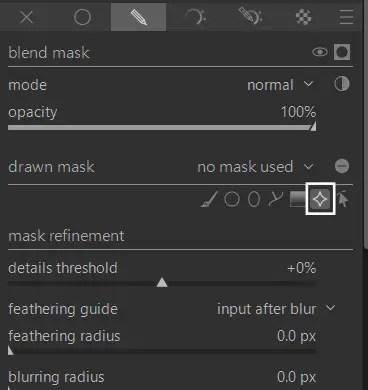
Once that is set, you have AI masking in Darktable, and it is available for any module that allows you to use masking. I have been testing the AI subject detection and it is very good. Simply go to the masking options, and click on the new AI symbol in the settings.
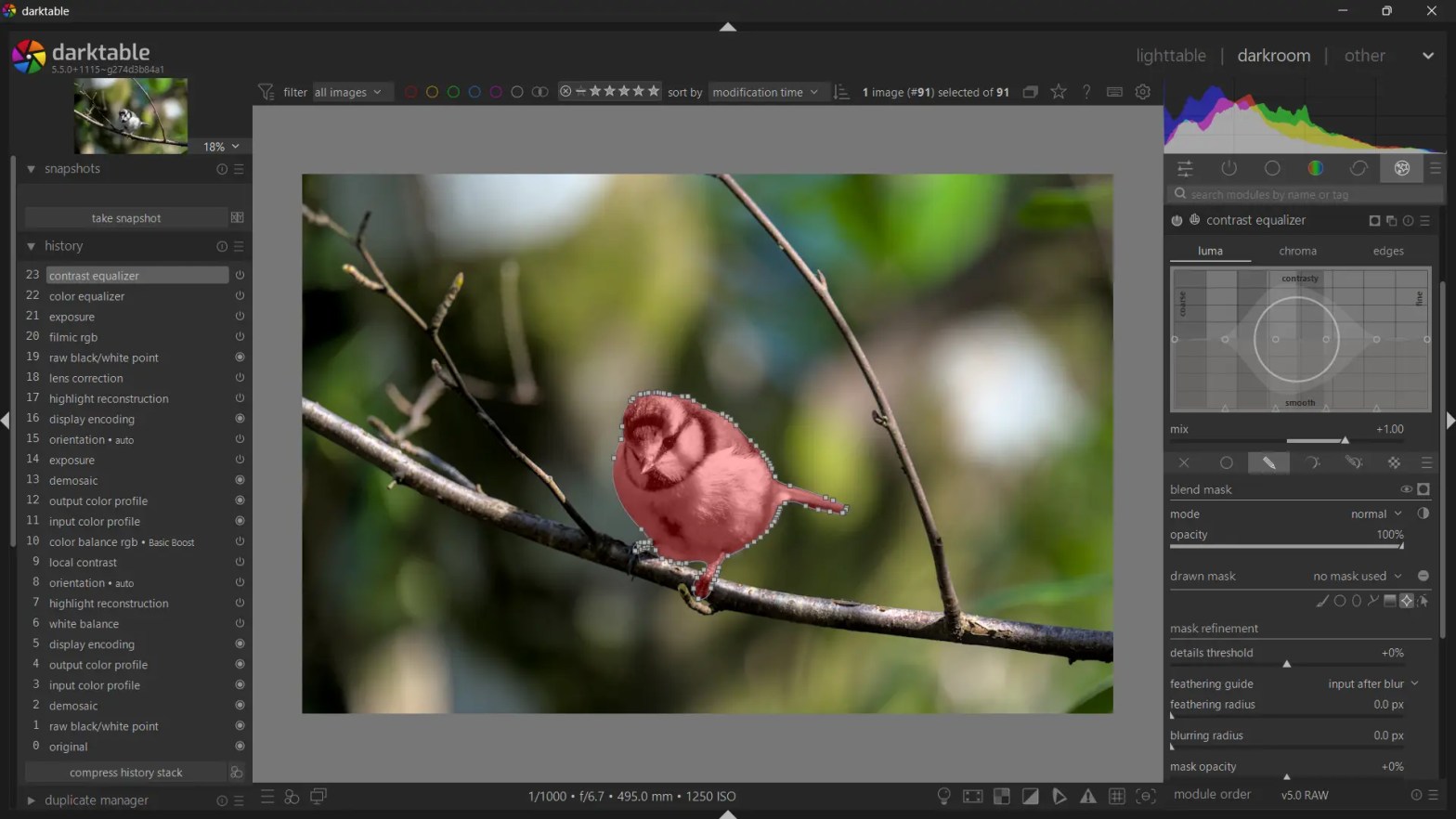
The computer will churn for a few moments, and then it will ask you to select the subject. For this example I chose this difficult subject of the bird.
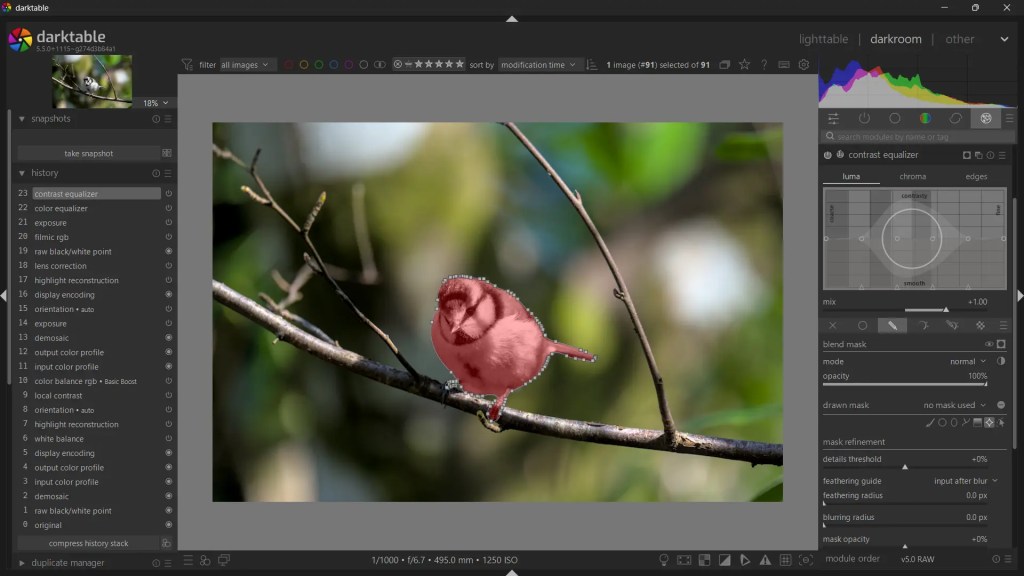
Of course, once you have the subject detected, you can save the mask and use it quickly and easily on other subjects. Plus, you can do everything you can with the standard masks, so this is a big help with masks.
The accuracy of the masking in my testing has been very good. If I make this bird black and white, you can see that the AI has managed to capture some of the loose feathers too.
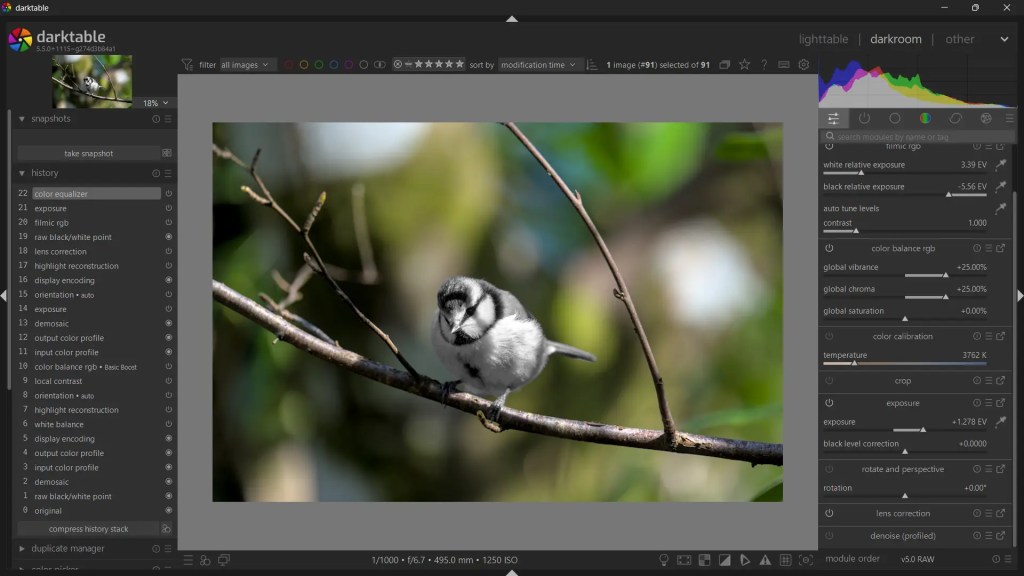
So there is no denying that this is another huge step-forward for Darktable. For those interested, it can be found in the nightly builds of Darktable.
“More To Masking Than AI“
While this is a huge milestone for masking in Darktable, the inherit design of masking in Darktable is just a bit more “clunky” than many other software packages. Yes, it all works as it should, and I have been happily using Darktable for many years, but as soon as you use another program (be it Photoshop, Lightroom, Luminar Neo or even RapidRaw), you realise how fluid and intuitive masking is on those programs, and how in Darktable it is functional, but not fluid.
When you open up a mask in other software you can generally use all the tools in that masked area, while in Darktable the masking is on a per-tool basis. It makes sense because of the way Darktable works, and for the hobbyist or someone on a limited workload, this is fine (which most people reading this and using Darktable are), however it really does slow you down and can be confusing for many people.
Take something as simple as a linear gradient. In Darktable, it opens up, and have lines on the screen where the gradient is active, you can not simply drag the areas but you have to use combinations of wheels for different things. It works, but it works so much better in other programs where you simply click and drag your mask, plus the other software shows you in real time which part of your images are being affected (you can turn on the mask to display with Darktable, but it slows everything down).
“Conclusion“
AI masking in Darktable is here, and it is pretty amazing! It is something we have been asking for, for a long time in the community. I am more than happy with its performance, and I am sure that Darktable users everywhere will be using this feature when it is locked into a stable release.
It is a step in the right direction, and another reason to visit Darktable.
My name is Mark G Adams and I run Photography By Mark G Adams. I am a professional photographer from South Wales, shooting weddings, events and portraits as well as running meets and workshops. For fun I like to shoot landscapes, wildlife and occasionally do street photography. Enjoy my website as I share my knowledge learned over decades of working and having fun in photography.
You can find all the latest articles and blogs on my homepage here.
My main photography social media page is my Photography By Mark G Adams page.
Nikon Recipes for the Z system can be found here.
You can find a complete list of my gear here.
 One Camera One Lens Photography
Hey Mark, I don’t use Darktable that much, but I’ve been experimenting with it a bit, and I get your point.
Masking does feel smoother in other software, but that’s mostly how those tools are designed, one mask, click, drag, instant feedback. Darktable ties masks to each tool, which feels less fluid, but gives you more control over each step.
So something like a gradient is quicker elsewhere, but that doesn’t necessarily make it a stronger system, just a faster one. The AI masking fits into that same approach, it works well, but it doesn’t change the underlying workflow.
RapidRAW goes even further toward speed and simplicity, which makes the difference even clearer.
So what feels “better” here is mostly ease of use, not really capability, at least that’s how I see it.
Have a great day, all the best,
Marc
LikeLiked by 1 person
Yeah, I do say that Darktable is just “clunky”. Most of the other software mentioned does it in one go with full access and control to everything rather than the need to keep copying the mask.
Time is money, speed and accuracy is everything when you’re getting paid (or when you just want to get things done), but as I mention, for hobbyists and those not editing to edit dozens or hundreds of, Darktables implementation of masking in general is good enough. It’s never been it’s strong point, but this is a step in the right direction.
LikeLiked by 1 person