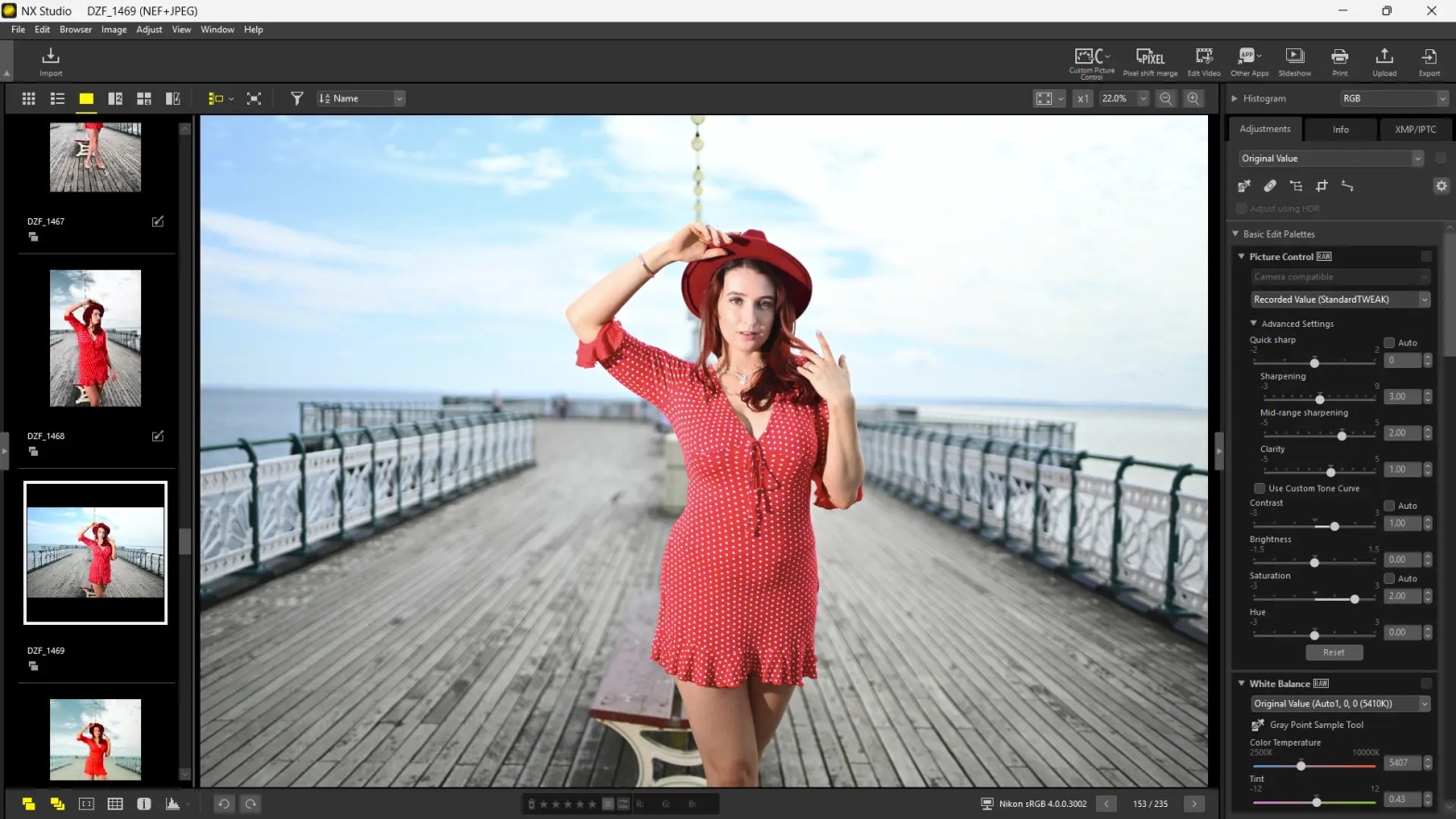
I’ve recently started using NX Studio by Nikon on a much more regular basis than I thought I would. I started using the software to create colour profiles for Nikon Z cameras, but soon realised that NX Studio was more than capable of editing software, and it’s completely free! Here is a comprehensive review of it’s features and my thoughts on the software for everyday use.
Nikon NX Studio has emerged as a surprisingly powerful and highly beneficial free image and video editing software for Nikon camera users. It seamlessly integrates the Browse and editing functionalities of Nikon’s previous ViewNX-i and Capture NX-D applications into a single, user-friendly interface. Here’s a comprehensive look at why NX Studio earns a positive review:
1. Native Nikon RAW Processing Excellence:
One of NX Studio’s most significant advantages is its ability to directly process Nikon’s proprietary NEF (RAW) and NRW files without the need for conversion or reverse-engineering. This ensures the purest image data is retained, allowing users to leverage Nikon’s renowned colour science and in-camera Picture Controls for optimal results. Many users report that NX Studio delivers superior colour rendition and a more pleasing overall look with minimal effort compared to third-party RAW converters.
2. Comprehensive Editing Tools for Photographers:
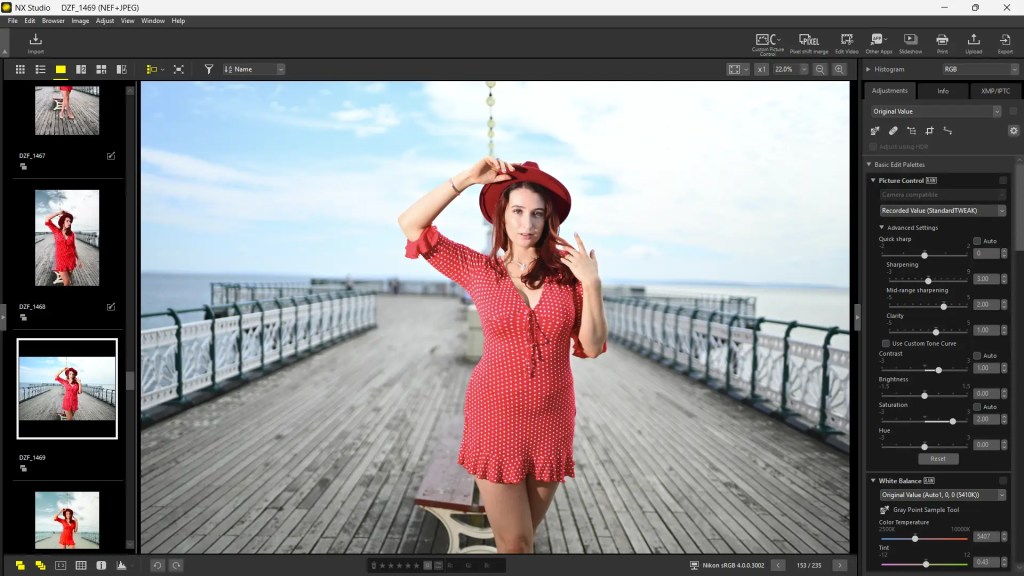
Despite being a free offering, NX Studio boasts a robust set of editing tools that cater to both amateur and enthusiast photographers. Key features include:
- Essential Adjustments: White balance, exposure, brightness, contrast, saturation, hue, and sharpness are all easily adjustable.
- Active D-Lighting and Noise Reduction: Tools mirroring in-camera settings are available for optimizing dynamic range and managing image noise.
- Picture Control Integration: Users can access and apply Nikon’s in-camera Picture Controls directly, ensuring consistent looks between their camera and edited images. There’s even a “Flexible Colour” Picture Control feature for fine-tuning specific colours.
- Colour Control Points: Inherited from the popular Capture NX series, this powerful tool allows for precise, localized adjustments to brightness, saturation, hue, or contrast within a selected colour range.
- Composition Tools: Cropping, straightening, and perspective control are readily available to refine image composition.
- Retouch Brush: A basic but effective tool for minor touch-ups and dust spot removal.
- Lens and Camera Corrections: Automatic corrections for lens aberrations and other camera-specific adjustments are applied for optimal image quality.
- Pixel Shift Shooting Merge: For cameras supporting this feature, NX Studio can merge pixel-shifted images to create higher-resolution files with reduced moiré and noise.
3. Basic Video Editing Capabilities:
Beyond still images, NX Studio also offers practical tools for basic video editing. Users can trim, splice, and combine video clips, making it a handy solution for quick video edits without needing dedicated video editing software.
4. Intuitive and Streamlined Workflow:
NX Studio presents a clean, modern, and intuitive user interface. The layout is logical, with buttons organized according to typical image-processing workflows. This design makes it easy for Nikon camera users to transition to the software, as many adjustments and displays mirror those found on their cameras. It integrates Browse, editing, and sharing into a single application, eliminating the need to switch between different modules as seen in some other software.
5. Efficient Organization and Management:
The software includes convenient tools for organizing and managing photos and videos. Users can:
- View Options: Browse images in various ways, including thumbnails, full-screen, and side-by-side comparisons.
- Metadata Management: Edit XMP/IPTC information and apply presets for streamlined metadata handling.
- Filtering and Rating: Easily filter, rate, and label images to quickly find desired shots.
- Focus Point Display: A useful feature to view where the autofocus point(s) were in the frame, aiding in focus assessment.

6. Cost-Effectiveness: It’s Free!
Perhaps one of the most compelling aspects of NX Studio is that it’s completely free to download and use for Nikon camera owners. This makes it an incredibly valuable asset, especially for those who might not want to invest in paid subscription-based editing software.
7. Continuous Improvement:
While early versions might have had some performance quirks, Nikon has consistently updated NX Studio, addressing bugs and improving stability and features. This commitment to ongoing development bodes well for the software’s future.
Areas of Notable Strength:
- Unmatched Nikon RAW file rendering: This is arguably its biggest selling point, providing the most accurate interpretation of Nikon’s proprietary RAW data.
- Integration of Picture Controls: A huge benefit for those who rely on Nikon’s in-camera color profiles.
- Colour Control Points: A powerful tool for precise local adjustments.
- User-friendly interface: Especially for those familiar with Nikon cameras.
- Completely free: An incredible value proposition.
Conclusion:
Nikon NX Studio stands out as a highly capable and exceptionally valuable free software for Nikon photographers and videographers. Its native RAW processing, comprehensive editing tools, intuitive interface, and basic video editing capabilities make it an excellent choice for managing, editing, and enhancing Nikon files. While it may not offer the most advanced features of professional-grade paid software, for the vast majority of Nikon users, NX Studio provides everything needed to unlock the full potential of their images and videos, making it a truly positive and recommended experience.
 One Camera One Lens Photography
I’m not a Nikon user myself, but I know exactly what you mean. With this software move, Nikon basically pulled off a double – maybe even triple – win. Offering your users a free editing solution that not only supports your in-camera color profiles and presets, but also quietly locks them into your ecosystem? Genius. They don’t need to fork over cash for LR/PS, and Nikon doesn’t need to play nice with Adobe for some temporary Lightroom activation licenses. Win-win. And yes, money saved.
Olympus did the exact same thing back in the day. Now OM System picked up the baton. Only downside? Their software still doesn’t run on Linux – annoying ! If it did, my RT-DK-DT addiction might’ve looked very different.
Glad you put this in the spotlight, Mark. A lot of folks probably don’t even know the software exists – or just assume commercial options are better. Excellent post! Marc.
LikeLiked by 1 person
Great review! NX Studio sounds incredibly useful, especially with its native RAW processing and Nikon-specific features. The fact that it’s free is a huge plus – I’ll definitely consider switching if Adobe ever decides to sell Lightroom and Photoshop separately. Thanks for the detailed breakdown!
LikeLiked by 1 person
It’s handy for when you need to get things done quickly and efficiently without digging into Photoshop/Lightroom. You’ll find out really handy once you start playing with it.
LikeLiked by 1 person
Thanks again for the recommendation! 👌
LikeLiked by 1 person