
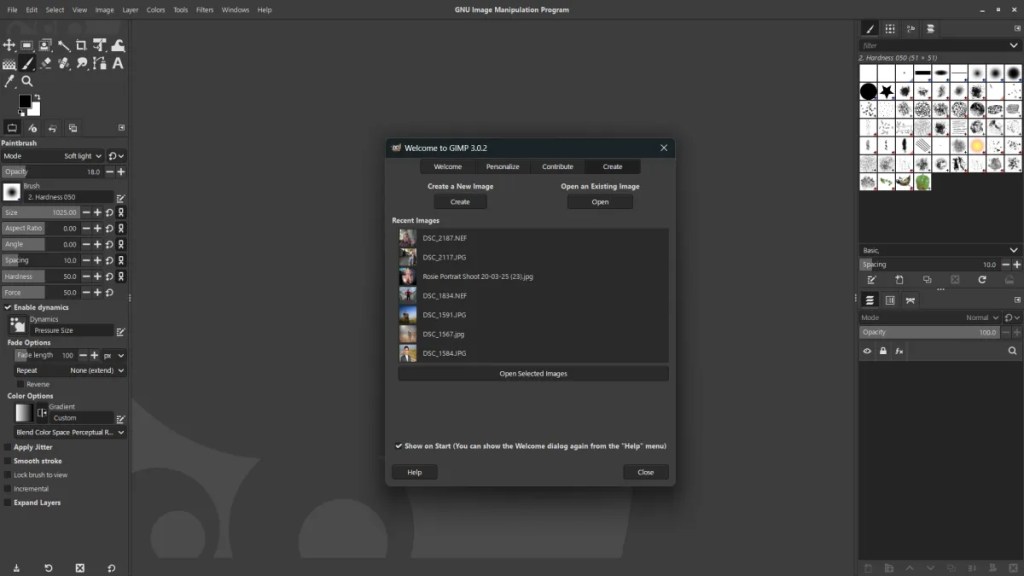
I have been using GIMP for many years, and I have been using GIMP 3 ever since it started having release candidates. With the release of Gimp 3.0 (and now 3.0.2) I take a look at what the software offers, the pro’s, the con’s and if you should consider it.
GIMP, the GNU Image Manipulation Program, has been a stalwart open-source alternative to proprietary image editors for years. The release of version 3.0.2 marks a significant step forward, bringing much-anticipated changes and improvements that aim to modernize the user experience and enhance its capabilities. While not a complete overhaul, this update offers compelling reasons for both long-time users and those considering GIMP for the first time to take notice.
The Good: Embracing Modernity and Workflow Enhancements
The most immediately noticeable change is the port to GTK3. This isn’t just a cosmetic facelift; it brings tangible benefits like improved HiDPI support, better Wayland compatibility on Linux, and a generally more modern look and feel. While the core interface remains familiar, elements feel crisper and more responsive.
Beyond the underlying technology, GIMP 3.0.2 introduces several welcome workflow enhancements:
- Non-Destructive Editing via Layers: This is a game-changer for many. The introduction of layer effects (like blur, shadows, outlines, colour overlays, etc.) allows for non-destructive adjustments, meaning you can tweak these effects without permanently altering the original pixel data. This adds a significant layer of flexibility and experimentation.
- Improved Layer Management: The Layers dockable has seen some refinement, making it easier to navigate and manage complex compositions. While not a complete redesign, the subtle improvements contribute to a smoother workflow.
- On-Canvas Preview for Filters: Many filters now offer real-time, on-canvas previews, allowing you to see the effect of your adjustments directly on the image before applying them. This significantly speeds up the editing process and reduces trial-and-error.
- Better Support for Modern File Formats: While GIMP has always had decent format support, 3.0.2 continues to refine this, offering improved handling of various raw formats and other contemporary image types.
- Initial Python 3 Support: While the transition is still ongoing, the move to Python 3 for scripting is a crucial step towards future compatibility and access to a wider range of modern libraries.

The Mixed Bag: Areas Showing Promise, But Still Refining
While GIMP 3.0.2 brings significant advancements, some areas still feel like they are in transition:
- User Interface Consistency: While GTK3 provides a more modern base, the overall UI still retains some of its older design paradigms. Some dialog boxes and workflows can feel a little less intuitive compared to more contemporary image editors. Further UI/UX refinement would be a welcome addition in future releases.
- Performance: While general responsiveness has improved thanks to GTK3, some computationally intensive operations can still feel sluggish, particularly on large images. Optimization remains an ongoing area for development.
- Plugin Ecosystem Transition: The move to Python 3 will eventually benefit the plugin ecosystem, but some older Python 2 plugins may not be immediately compatible. This could be a temporary inconvenience for users heavily reliant on specific older plugins.
The Not-So-Good (or Areas for Future Focus):
While GIMP 3.0.2 is a positive step, there are still areas where it lags behind some of its commercial counterparts:
- Lack of True Non-Destructive Editing for All Operations: While layer effects are a fantastic addition, core tools like painting and selection still operate destructively. A more comprehensive non-destructive workflow would be a significant leap forward.
- Advanced Features: Certain advanced features found in professional-grade software, such as sophisticated content-aware fill or more granular color management options, are still either less developed or absent in GIMP.
- Learning Curve: While the core concepts are generally accessible, the sheer number of options and the sometimes non-standard UI conventions can still present a steeper learning curve for newcomers compared to some more streamlined applications.
Conclusion: A Worthwhile Upgrade with a Bright Future
GIMP 3.0.2 is undoubtedly a significant and welcome update. The move to GTK3, the introduction of non-destructive layer effects, and the improved workflow features make it a more powerful and user-friendly image editor than ever before. It demonstrates the dedication of the GIMP development team to modernizing and enhancing this crucial open-source tool.
While it still has areas for improvement, particularly in UI consistency, performance for demanding tasks, and the transition of the plugin ecosystem, GIMP 3.0.2 is a solid release that will benefit both long-time users and those looking for a capable and free alternative to proprietary software. It’s a clear indication that GIMP is continuing to evolve and solidify its place as a serious contender in the world of image manipulation. If you’ve been hesitant to try GIMP or haven’t used it in a while, version 3.0.2 is an excellent time to give it another look. The future of open-source image editing looks promising with this step forward.
Who should upgrade?
- Existing GIMP users: Absolutely. The benefits are significant and will improve your workflow.
- Linux users: The improved Wayland and HiDPI support alone make this a worthwhile upgrade.
- Users seeking non-destructive editing capabilities: The layer effects are a game-changer.
- Anyone looking for a powerful and free image editor: GIMP 3.0.2 is a strong contender.
While there might be a slight adjustment period due to the GTK3 changes and potential plugin compatibility issues, the overall improvements in GIMP 3.0.2 make it a recommended upgrade and a testament to the ongoing strength of open-source software. I certainly enjoy using it, and I have found that the more I am using GIMP 3.0, the more I am enjoying it!
As a side note, it seems that in version 3.0.2 they have fixed the issue they had with Darktable, and now images load seamlessly from GIMP into Darktable and back again.
 One Camera One Lens Photography
You wrote a very good review of GIMP 3.0.2, Mark, highlighting both its strengths and remaining weaknesses—definitely a must-read for anyone considering an upgrade. As you mentioned, the updates were necessary, both for better stability and to stay competitive with other software.
I’ve been using an AppImage of the 3.0 version alongside some older versions for a while now—the advantage is that you don’t need to upgrade, but can keep using them all. That’s also how I manage my RT, DT, and many other applications. For me, AppImages are essential; they allow me to seamlessly combine old and new versions. And for an old-timer like me, who’s somewhat set in his ways, that’s important.
In any case, I’m going to download the AppImage of version 3.0.2 and make more of an effort to use it. Thanks for this very informative review, Mark!
LikeLiked by 1 person
Hiya Marc, it should be noted that any review I do is based on the default program, without any add-ons or plug-ins. Thus, making it a fairer review, as (as you have mentioned), we all have different needs from a program.
I do actually have G’Mic installed in GIMP 3, and if you miss the “Resynthesizer” plugin, you’ll find the “Inpainting” options do an admirable job of removing objects intelligently. In fact, I’ve found them to work better in many situations than said program.
The roadmap for GIMP is looking great, and 3.2 promises to take the program a step in the right direction, so that is exciting news!
Thanks Marc, look forward to your results using 3.
LikeLiked by 1 person
Many thanks for the tip about the inpainting options! I have to admit that—when I do use GIMP—I often fall back on old habits 😊. But now that I know you’ve had positive experiences with these inpainting options, I’ll definitely give them a try. After all, sticking to the old ways doesn’t teach you anything new.
Thanks again for the tip, Mark!
All the best,
Marc.
LikeLiked by 1 person