
Sometimes there are things that you want to do with your photography, such as see what settings were used for a photos colour grading, or copy the look of an image, or write text quickly behind your subject or even use what is basically the full Photoshop for free, but you are not at your computer (or just need to do something that requires Photoshop). Well, look no further! I have found three useful online apps that can help you!
Application number ONE – Colorsuite
There are times when you look at the settings of how an image was edited in Lightroom and/or Photoshop to copy the colour setting changes, or use them as your own base. All you need to do in Colorsuite is drag the .jpeg or .png image into this online app, and it will analyse your image and give you the settings!
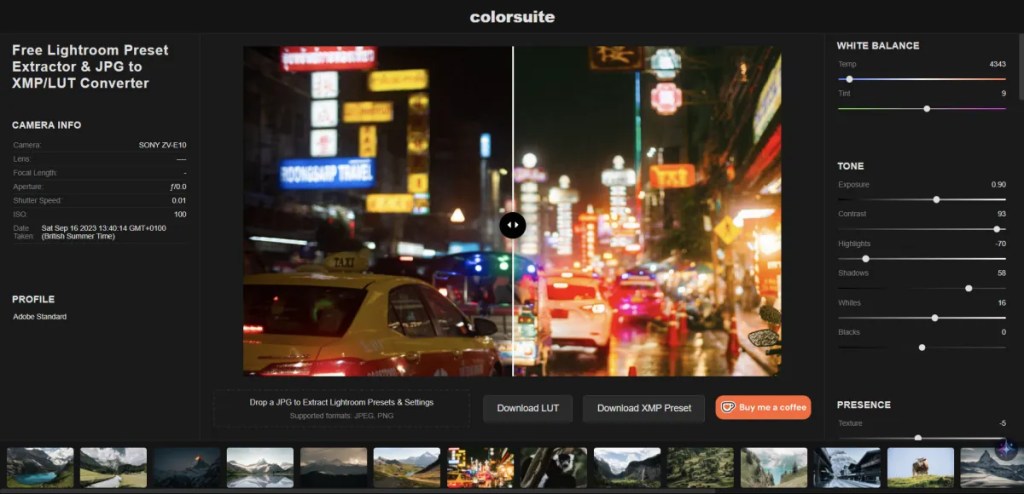
It is simple and very effective! Of course, the only caveat is that the image you upload must have been edited in either Lightroom or Photoshop. Of course, as these are pretty much the standard programs for professional photographers, you should have no problem finding an image and using this app. You can save the results as an LUT or an XMP file.
Application number TWO – Text Behind Image
Do you ever want to do something fancy, quickly, but can not be bothered to go to your nearest computer or load your software? “Text Behind Image” is an online tool for placing text behind your main subject!
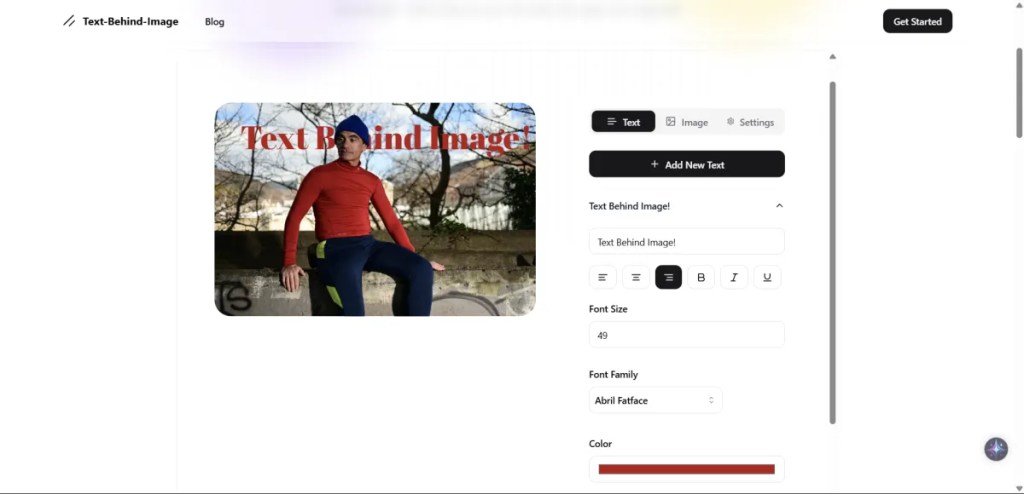
Simply go to the website, click on the “Add Image” section which you will see when you first load the website, enter your text and then position it. It is that simple and VERY quick to do!
Application number THREE – Photopea
Do you ever wish you had Photoshop? Are you at someone else’s or the your work computer and it does not have Photoshop? Try Photopea! It has so much similarities to Photoshop, it is quite outstanding!
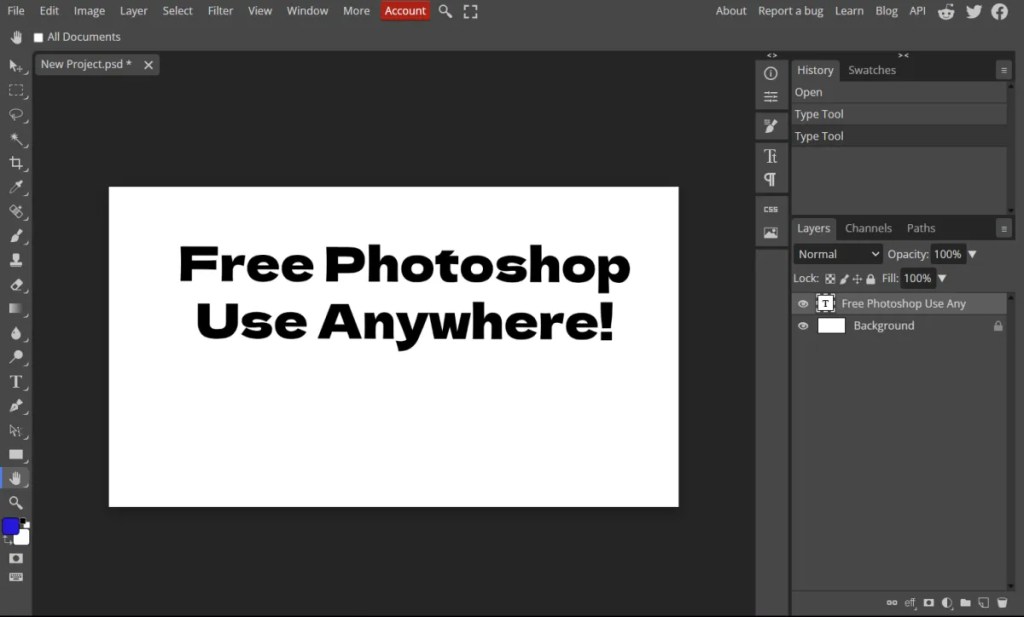
This online application is amazing, as it also allows you to edit your raw files in its version of the Camera Raw app of Photoshop.
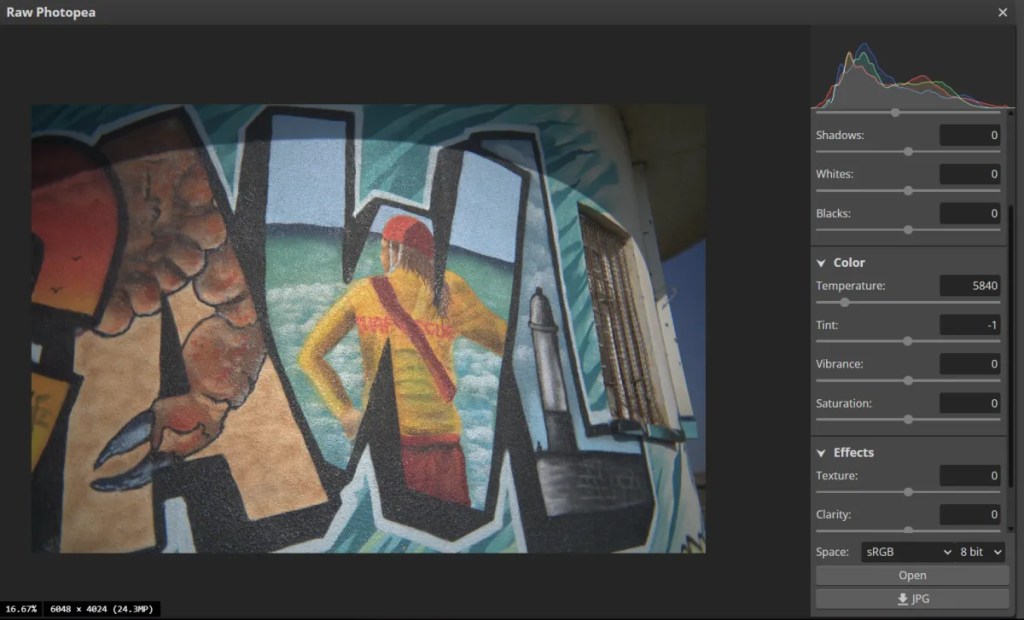
All in all, it is very exciting, simple to use and gets the job done if ever you cannot get to your main editing software. There is a paid-tier to this software which is $5 a month, which is much cheaper than paying for Adobe products.
Conclusion
I was genuinely impressed with these three free tools, and hopefully you will find them useful too at some-point. They are not meant to replace anything you do, but just quick fixes or useful when you may need them.
Let me know what you think!
 One Camera One Lens Photography
These are some great apps you’ve found, Mark, especially the first one—ColorSuite looks really interesting to me. Sometimes you come across a photo and absolutely love the editing applied to it, and if you could turn that into a kind of LUT, that would be fantastic—though, of course, there are always limitations with these kinds of conversions. It’s a bit like Darktable’s ‘color mapping,’ though that’s purely based on the colors in a photo. Still, very interesting.
And I always enjoy apps related to text. I had three free ones for my writing, but two of them have gone paid, and the third will likely follow, so tools like these are a must. The last app will probably make someone happy—if only because some people rarely edit anything, making an app like this really useful.
All in all, great and interesting finds, Mark—thanks for sharing! Have a great weekend, and see you next time!
LikeLiked by 1 person
Thank you Marc, much appreciated. I bet there’s many more useful web-apps out there… In fact, maybe enough for a series of blogs. We will see 🤣 enjoy your weekend.
LikeLiked by 2 people
I need to test ColorSuite on some of my photos. If this tool actually works, that would be amazing. I have a folder of photos where I’d love to figure out how they were edited.
LikeLiked by 1 person
It has worked well in my tests 👍
LikeLiked by 1 person
I did some quick tests and I think it works with Lightroom-edited photos but can’t extract all info from Photoshop-edited photos. Still, it may be helpful.
LikeLiked by 1 person