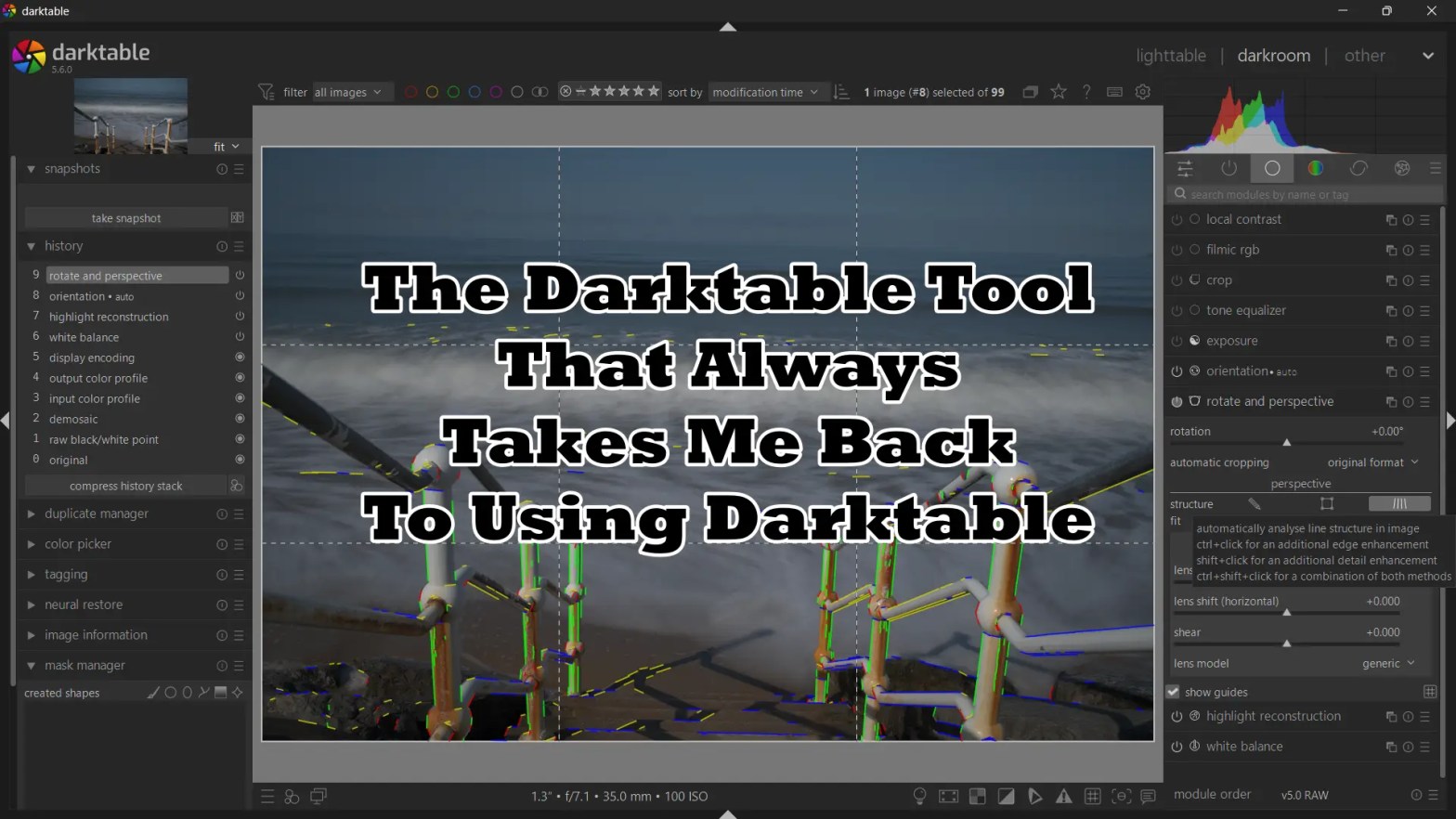
Anyone who had followed me for any length of time knows how much I love and enjoy Darktable. Yes, I use other software very often, namely Luminar Neo and RapidRaw, however there is a tool in Darktable that always brings me back to it.
The tool in question is the Rotate And Perspective tool, which gives amazing control of correcting perspectives. It’s a rather simple tool that many people ignore, but when you are photographing architecture, landscapes and any with an horizon, it can be the most useful tool next to the Crop tool.
Yes, other software has perspective correction of some sort, but quite often the corrections need to be done manually by moving lines into position (you can do this in Darktable too), or by using two different tools, one for straightening the image (usually found in the crop section) and then in the lens attributes section for correcting perspective. Of course, there are also one touch buttons in some software, but none of them ever feel as accurate as the tool in Darktable.
It is a tool that can save an image, and just make everything look more natural. Of course there are times when people want converging verticals, it can be very artistic. However not everyone does, and certainly not for every photograph.
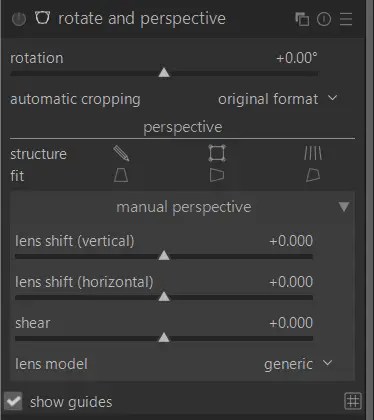
Darktable’s Rotate And Perspective correction tool is as simple as opening the module, tapping on the Automatically Analyse Line Structure button (found alongside “Structure”) and then tapping on the relevant Automatically Correct (Horizontal/Vertical/Both) button (found alongside “Fit”). There are plenty of other options within the tool for modifications too, so there are very little images that the tool does not work with.
“Conclusion”
Darktable is of course an excellent piece of software. I’ve written many times over the years that I’ve left Darktable, and I’ve gone back to Darktable. There is something about the software that just brings you back to it time after time, and the perspective correct tool is just one of those features.
 Photography By Mark G Adams
Mark, I suspect it’s a bit more than just the perspective tool. You’ve used Darktable for a long time, so it’s probably your natural home. But no software gives us everything we want, so like most photographers, you look elsewhere for the features that are missing. I think that’s something we all do. Even Lightroom users often rely on other tools for specific jobs. I’m the same with RawTherapee, it remains the core of my workflow, and I simply add other software where it offers something RawTherapee doesn’t.
It’s clear that your appreciation for Darktable has never really gone away, and I think that’s exactly what comes across in this article. Nicely written, Mark.
Have a great evening.
LikeLiked by 1 person
Yes, you could be right. It’s a tool I just haven’t found better in any other software, but the familiarity draws me back time and time again.
You have a great evening too.
LikeLiked by 1 person